
Testing the hDrop Sweat Sensor: Performance Booster or Useless Data?
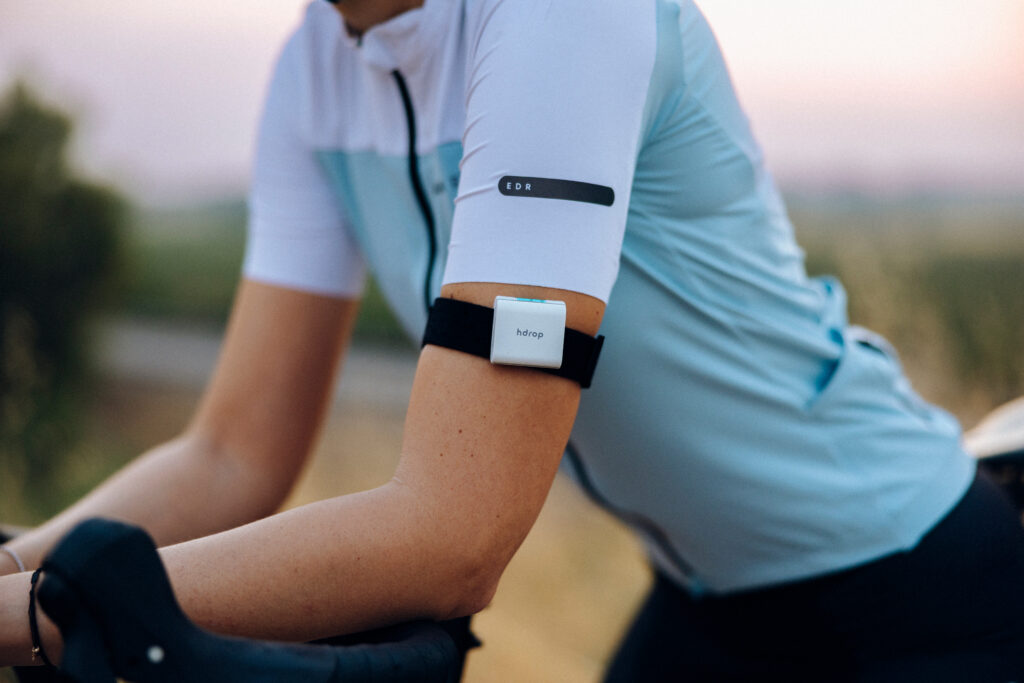
The hDrop sensor showed up on my doorstep at an interesting time. I had just returned from racing the Alpe d’Huez long distance triathlon and it was 39C (103F) during the bike. Despite taking in five litres of fluid, one litre per hour as per my plan, with 45 km to go, my body only wanted water. I knew I had fallen behind on fluids, and playing catch up never really works during a race. As I went through my nutrition execution after the race, I had stuck to my plan pretty well, so what was I missing?
Sweat testing never seemed too important to me, but with summer racing in full swing and heat training having its moment, it floated back into my curiosity. I’ve had sweat testing done before with patches, but it was a long process that included testing protocol, sport scientists and a data report that came weeks too late. While that test was informative, it was kind of like having a once-off test in the lab; numbers change over time and are influenced by circumstance, so how useful was it? Enter the hDrop reusable sweat sensor.
For the next week, I tested the hDrop sensor in my bike training, from long outdoor endurance rides to sweaty indoor HIIT sessions. Like other wearables, it didn’t really tell me anything I didn’t intuitively know; but it was successful on the most important metric: it changed my behaviour.
Measuring Sweat: How Much and How Salty
Sweat rate and concentration–how much fluid you lose and how much sodium is in it–vary between individuals. Sweat rate is influenced by factors such as temperature, humidity and training intensity. (You can actually just test this yourself by weighing yourself before and after a workout). Sweat concentration is about how much salt (and other electrolytes) you lose and primarily driven by genetics. While concentration can fluctuate a little bit, it stays relatively in the same ballpark despite other variables. Getting your concentration values requires some sort of sweat testing. But the information can be valuable for performance.
For example, if you find out you lose 1.2L per hour and your sodium concentration is 1447mg/L during a two-hour ride, that means you know exactly how much you need to replace (how much volume to drink per hour, and how much sodium to put in those bottles) to stay hydrated. While sweat rate changes with environmental factors, having information on sweat rate and concentration can be incredibly influential in training and racing.
Traditionally, sweat testing is done in a lab. Getting a sweat test in a lab is still the gold standard for accuracy, but being able to do it yourself over time and in different situations has its advantages. There are a couple of devices on the market, including the hDrop sensors and others with disposable patches and, while the accuracy might not be as reliable, seeing data trends over time from different situations gives you enough information to make smart hydration decisions.
The hDrop Hardware
So what about the hDrop then? The hDrop Gen 2 came in a nice compact box with the sensor, an arm band, a storage case and a charging cable. It retails for USD$249.99 (a bit more across the pond: €314.99). It comes with free access to the app with an optional paid upgrade to “hDrop Lab” that has more analysis and, enticingly, race day planning.
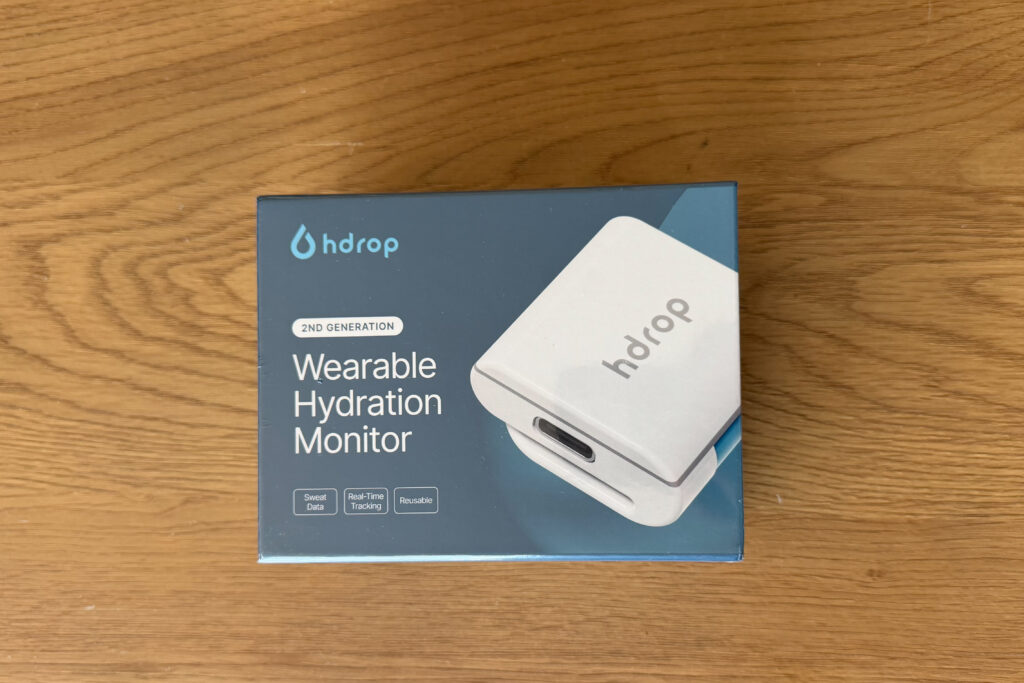
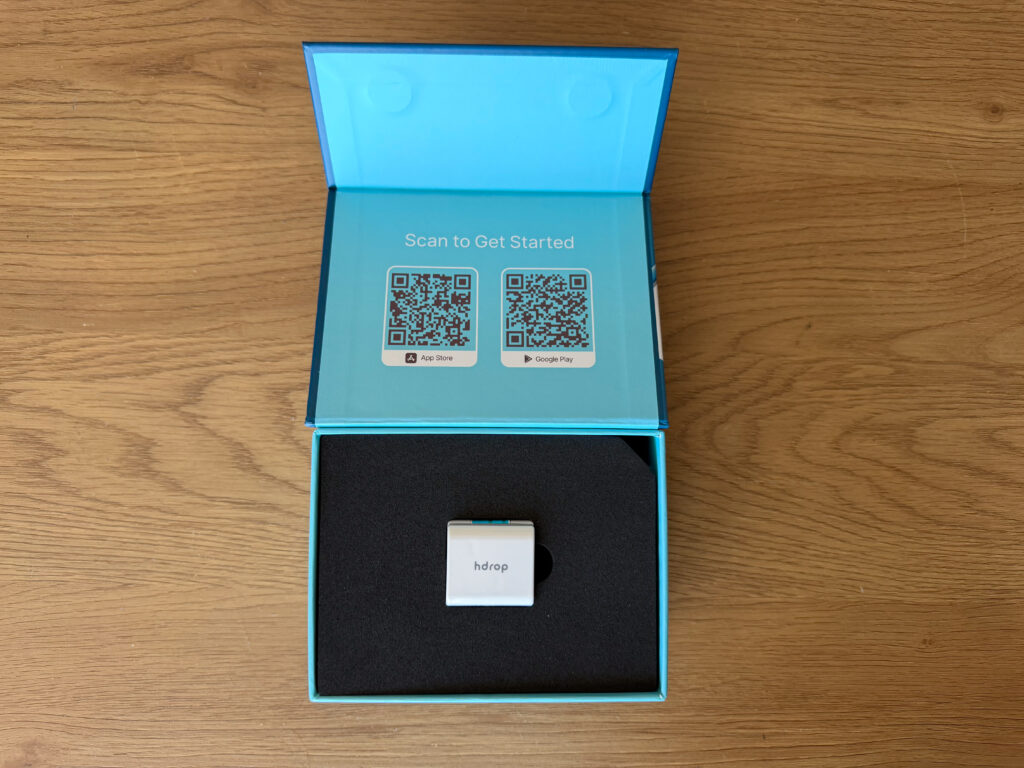
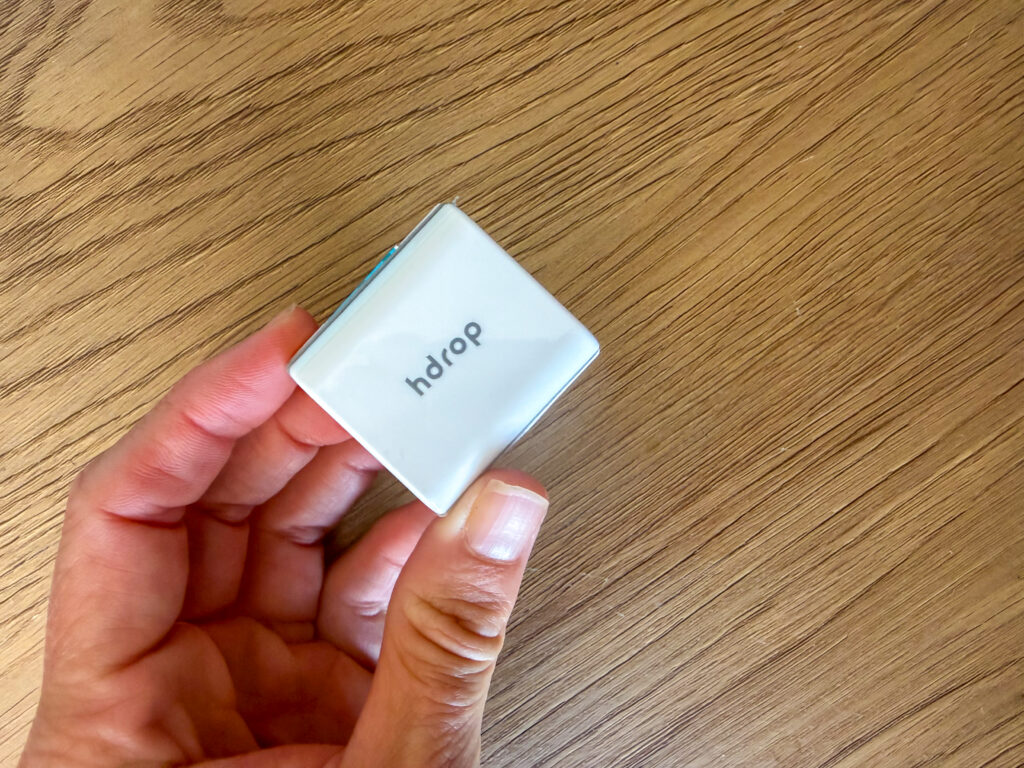
The sensor itself is small and lightweight, about 12 grams, and is 30mm by 30mm (like a square iPod shuffle if you can remember those). You can see the sweat collection surface on the skin-side of the device, which is blue with black lines.
The setup couldn’t be easier. There is a QR code to scan inside the box for the step-by-step instructions. After charging the device, download the app, create your profile and pair the device. I paired my device to my Garmin and Wahoo (which I thought would be a faff, but it really wasn’t) which gave me live on-screen data during activity as well as post-activity analysis data in the respective apps. Wherever you want to read the data, it’s all simple and straightforward but, of course, the hDrop app itself is where the data feels more at home.
The device is easy to wear. You slip it onto the supplied velcro-secured armband and wear it on your upper arm (I tucked mine under my sleeve). I found it pretty comfortable and didn’t notice it on the bike, outdoors or inside, and the same on the run. You can also wear it on a heart rate monitor strap, but the accuracy is diminished.
They suggest cleaning the sensor “often,” and provide two alcohol wipes for this purpose. I don’t think two would hit the “often” mark, but they are generic alcohol wipes to gently wipe the collection surface of the sensor. The strap can be easily rinsed and left to dry (in the shower post workout with my HR strap is what I did).
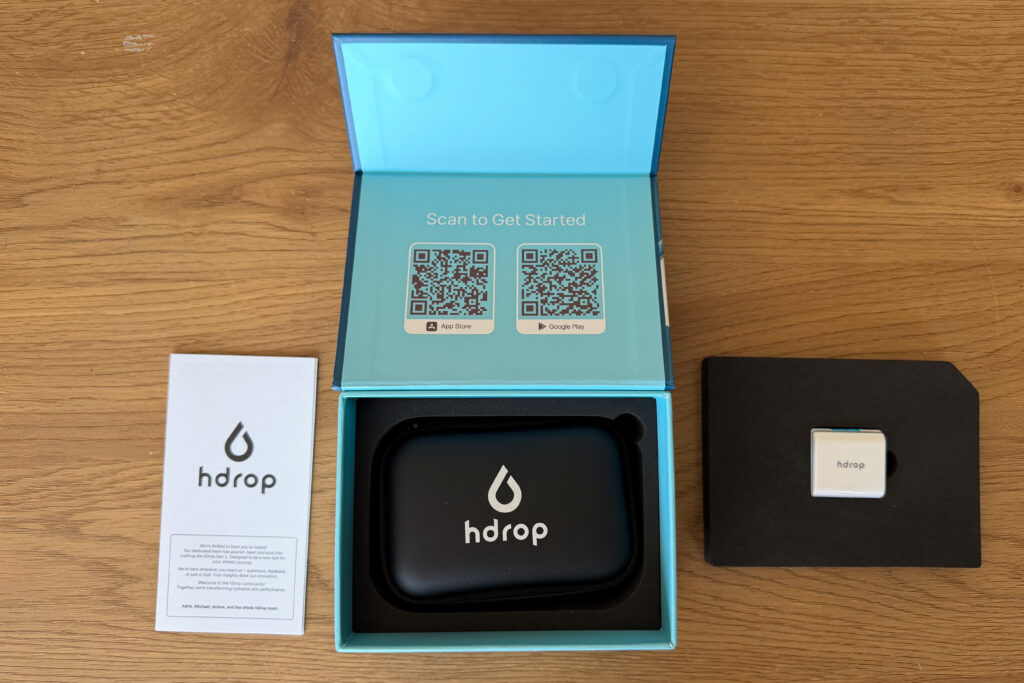
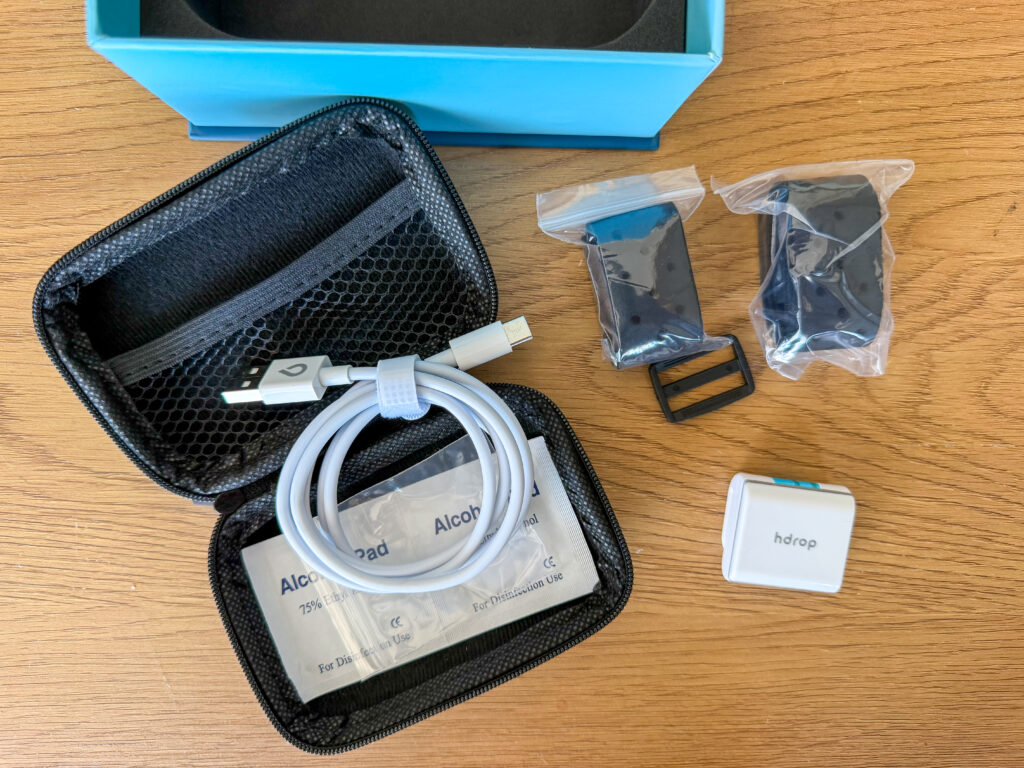
The hDrop Set Up
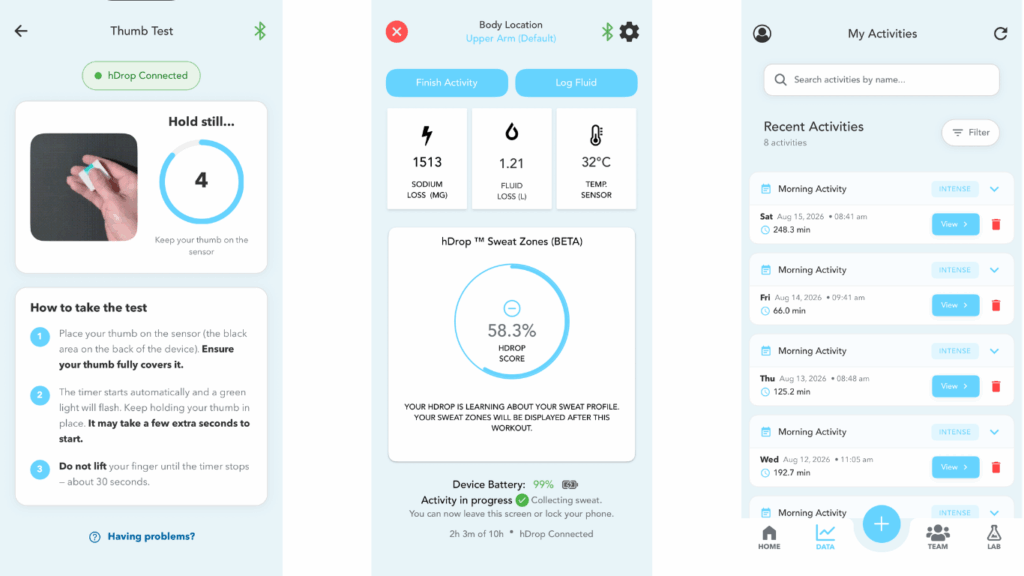
In their proprietary app (iOS and Android), the hDrop offers three activity profiles for collecting data: thumb, resting and active. “Active” is for training and was how I primarily used the device, although I also used the thumb testing. During tracking, the app initially shows your hydration score (as a starting point) and then tracks sweat loss and concentration in real time, prompting you to ingest fluids accordingly. The information can be displayed on your head unit.
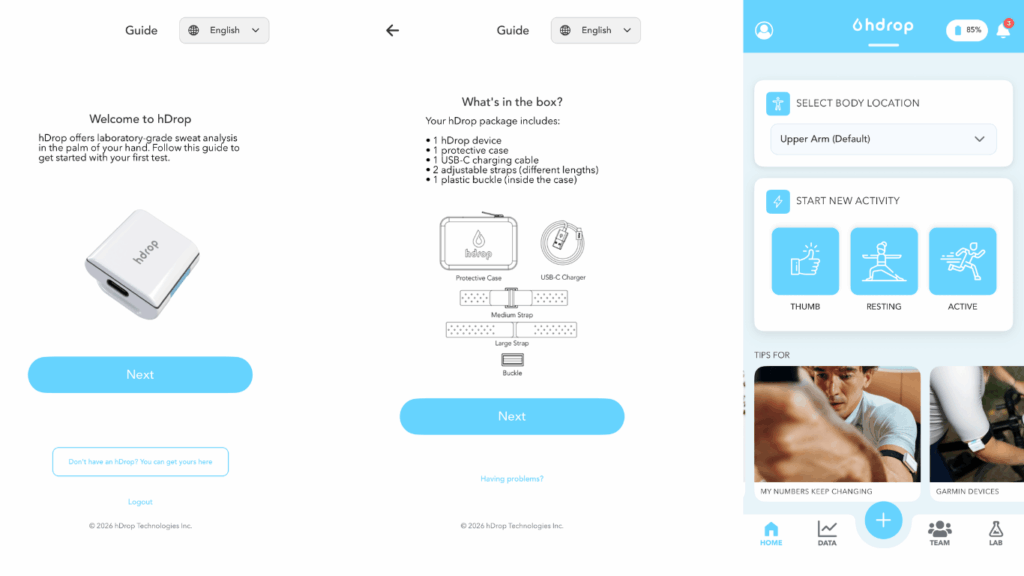
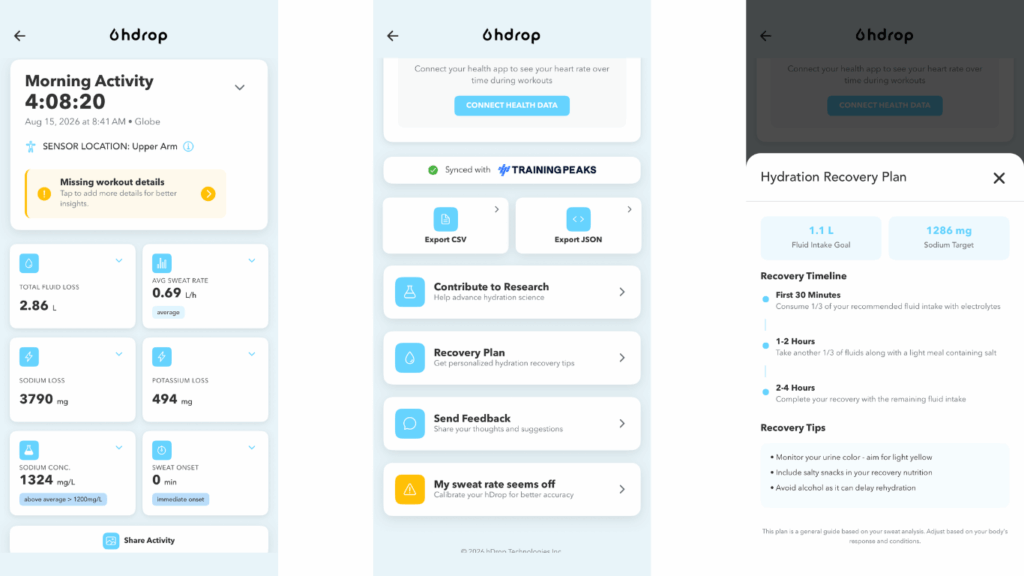
The hDrop measures sweat rate and sweat concentration as presented in the app as total fluid loss, average seat rate (litres per hour), total sodium loss, sodium concentration (milligrams per litre), potassium loss in milligrams (the electrolyte linked to muscle fatigue and cramping), as well as sweat onset. It also tracks skin temperature.
After an activity, you get an overview of your statistics, including some colourful charts depicting your data over the session. The basic data is great–it’s simple to read and informative–and that includes their “Sweat Zones” chart that shows the concentration of your sweat over the activity. But scroll down and there is a “recovery plan” with a specific fluid and sodium intake goal and how to execute that intake.
A Week of Bike Testing
I wore the sensor for most of my bike and run workouts for a week. I’m only doing run/walk right now due to injury so I’ll focus on the bike data which is where I was sweating the most anyways. I wore it outside and indoors for a total of seven sessions, including inside where I didn’t use a fan (hello, sweatfest), with training time ranging from 30 minutes to 4 hours.
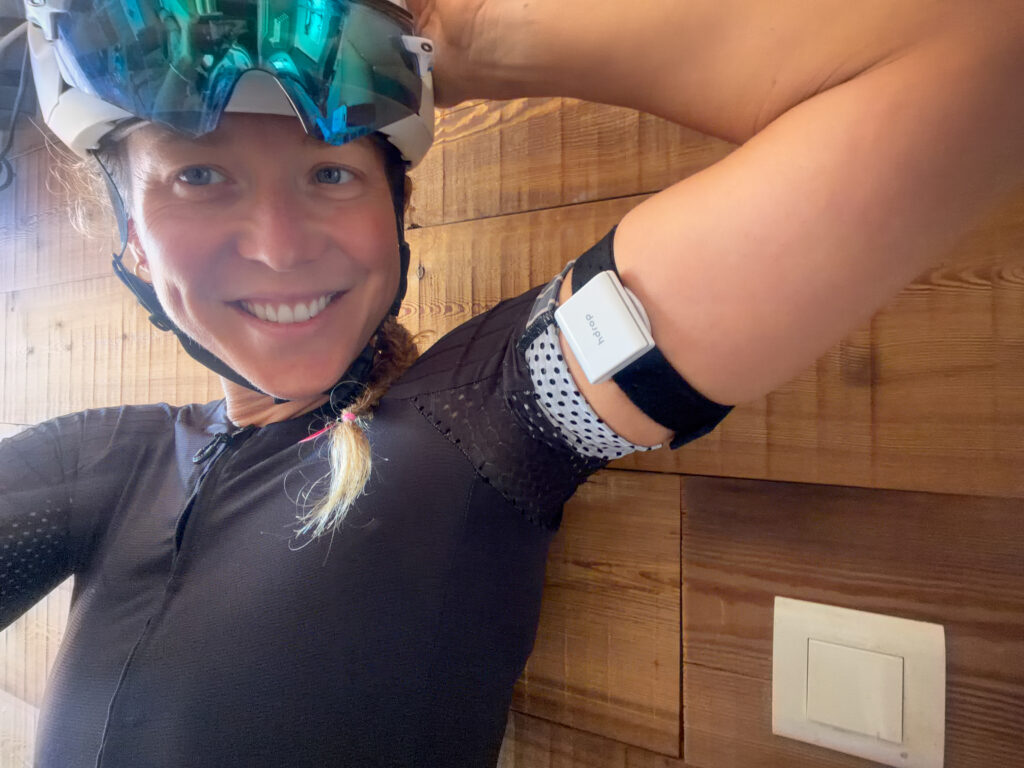
The one annoying thing about the sensor is that you have to start your activity manually on the app. I forgot this very often and had to stop in the early parts of my ride to initiate tracking. You also need to manually stop an activity, which I also forgot once or twice. It would be great to see this start and stop automatically in the future, like the CORE body temperature sensor.
For the first ride, I trained as if it wasn’t there, sticking to my normal hydration protocol. I didn’t have any alerts and didn’t look at the information on my headunit. I just let the data collect and analyzed it after (more on that later). For the subsequent sessions, I used the previous and live data to adjust my hydration strategy. On a few rides, that also meant ingesting fluids whenever I was prompted by the app.
During an activity, there is a “log fluid” button which is great indoors riding easy, but, frankly, useless any other time. Instead, I would log my fluid and electrolyte intake (they have a list of prominent brands to select) afterwards in one go. I also found that easier for accuracy since sometimes I would sip and other times gulp down half a bottle.
What It Told Me and What I Learned
As a pro athlete, hydration is not unexplored territory for me. I’ve even had one previous sweat test but the results weren’t actionable for various reasons at the time. Through experience, trial and many errors, and working with a few nutritionists over the years, I’ve got a basic protocol that generally works. Simplified, it’s about one litre of fluid per hour and 1,000mg of sodium per litre, more across the board if I’m racing and it’s hot. As mentioned, I have had an actual sweat test before, but it was so long ago and it took so long to get the results that the information felt too foreign at the time. I didn’t know how to interpret it or how to use the information. My knowledge base has improved greatly since then, so having accurate real-time data in an easy to interpret format meant it was actionable in real-time as well.
I learned I’m on the salty side. 1,300mg is more my sweet spot (salty spot?). I’ve adjusted my intake accordingly. While my sweat rate obviously varied quite a bit, my usual one-litre guideline seemed to be a good starting point.
Where I wasn’t paying enough attention, as I learned through my trial of the hDrop, was hydration before and after training. Between three sessions a day and working in between, training prep and recovery is never my strong suit with the time crunch. However, the hDrop helped change this behaviour and, to me, that was the success of the device.
I really liked seeing in clear numbers how much I needed to replace with their recovery insights. It took the guesswork out of it and made hydration a more important variable in my recovery.
To my surprise, I particularly liked the thumb test. The active information was obviously my crucial profile, but I found myself using the thumb test in the morning and before bed. Even though hDrop admits the thumb test is “a rough, estimated check,” rough and estimated was good enough combined with my feelings to confidently course correct if I needed. During the week, I saw my thumb tests improving, hopefully meaning my hydration during and between sessions had improved.
Did it Change My Behaviour?
Consistency, the holy grail term of training, has been the change. What I do I hasn’t changed, but when and how often has. During sessions, other than a boost to my sodium intake, my protocol is similar. When I was really obeying the prompts, I admit my hydration was better, but I know over the long term, I will never be that regimented. Still, it left me with a better goal to chase.
As I explained above, in between sessions, when real life takes over, the hDrop helped me improve with clear targets to hit after training. I always knew I had to replenish more after a session, but I’ll be the first to say I had a lot to improve in this area. When you’re doing multiple sessions a day, for days on end, rehydrating well in between takes away the potential knock-on effect of poor hydration. More consistent fluid and electrolyte recovery means more consistent hydration during sessions and that means–you guessed it–more consistent performance.
Positive and lasting behaviour change is my mark of a good performance product and I think hDrop has that potential if you’re invested.
Is it Worth It? For High Performance: Yes.
Does it work: yes. Is the data useful: yes. Is it worth the cost: depends.
If you’re racing and looking to perform, then yes. For the cost of one lab sweat test, I think the hDrop sensor is a great bit of kit, especially if hydration (or general fueling) is an area where you need improvement. A lab might be much more accurate, but the hDrop provides comparable data on a regular basis. Seeing real-time data influences your behaviour for the better and allows you to build a sweat profile over time. Just like a bike lab test is great for giving you training zones, we all know those power outputs fluctuate throughout the season and even on the day. Having something you can use readily, I argue, might be more useful and influential than a once-off test.
For myself, I won’t be using it on a daily basis. Having the baseline information from different sessions has strengthened my ability to make good hydration decisions. However, I will definitely be using it specifically throughout the season. An obvious use is during during indoor or heat sessions and hot summer rides where it can be tricky to evaluate how much fluid is lost. I will also reach for the hDrop coming into altitude camps where it’s harder to stay hydrated, especially during the first few days where there is substantial fluid loss.
And, finally, I plan to rely on the hDrop leading into a race. I find race week quite tricky with travel, a different and busy schedule, anxiety, and, especially in the summer, often additional heat stress. Staying hydrated becomes more difficult and then adding in pre-race loading–well, I’ve faltered and paid the price a few times.
If you’re more recreational, I think a generic hydration plan would be a good place to start, and with trial and error you could get pretty close to the behaviour the hDrop would produce and save yourself the financial investment. That’s how I started and, while it took a few years and a lot of mistakes, my protocol was close–just not close or adaptable enough for optimal performance at a pro level.




Isn’t high sweat salinity a sign that your body is attempting to excrete excess sodium, and not a sign you should be replacing that sodium?
FWIW, Precision claims that sweat salinity is mainly genetic: https://www.precisionhydration.com/sweat-testing/our-sweat-tests/
Like sweat rate, it varies widely across the population, but the fat part of the bell curve is ~1,000mg/l (so if you can’t test it’s not a bad level to shoot for): https://www.youtube.com/watch?v=cRWem7ZoWe4&pp=ygUlcHJlY2lzaW9uIGh5ZHJhdGlvbiBzd2VhdCB0ZXN0IGJvd2Rlbg%3D%3D
Disclaimer: No affiliation w/Precision; they just have lots of easy-to-find content pumped through their influencer network.
Hello folks, hDrop here!
Thank you for putting the Gen 2 through seven real training sessions and for writing such a thoughtful and candid review. We especially appreciate that you covered both where the data was useful and where the experience created friction. The feedback on manually starting and stopping activities, and on logging fluid during a ride, is genuinely useful to our product team.
We were especially glad to read that the biggest outcome was a change in behavior, particularly around recovery and hydration between sessions. That is ultimately where we hope the data becomes useful, rather than simply becoming another metric.
Thank you again to you and the Slowtwitch team for testing it in real training and starting a thoughtful discussion.
@klehner Good question. A high sweat sodium concentration is not, by itself, evidence that the body is trying to eliminate excess dietary sodium.
This review is a useful overview:
Sweating Rate and Sweat Sodium Concentration in Athletes
Table 2 is particularly useful because it summarizes many of the factors that can influence sweat rate and sweat sodium concentration in athletes.
Sweat is produced primarily for cooling. As it passes through the sweat-gland duct, some sodium is reabsorbed before it reaches the skin. The final concentration varies substantially between people, but it is not completely fixed within one person. It can also vary with sweat rate and exercise intensity, heat acclimation, environmental conditions, and potentially dietary sodium.
In practical terms, a higher concentration means more sodium was lost per liter of sweat during that particular session. Total sodium loss depends on both the concentration and the total volume of sweat lost. Whether and how much should be replaced during exercise also depends on duration, conditions, fluid intake, normal diet, and gut tolerance. It does not mean the athlete should automatically replace 100% of the measured sodium loss.
@Titanflexr thanks for adding the context. The large differences between people are real. We would not only qualify the idea that sweat sodium is mainly genetic, because that can create the impression that it is a fixed number across every activity and condition. It is an oversimplification that helps support a single sweat test, but that is not totally accurate.
This recent study co-authored by Precision Fuel & Hydration is particularly relevant:
Comparison of pilocarpine- versus exercise-induced sweat sodium concentration across exercise intensities
The earlier 2024 conference abstract is also available here:
Evaluation of pilocarpine iontophoresis vs. exercise-induced sweat sodium concentrations
In 15 trained athletes exercising under standardized cycling conditions, mean exercise sweat sodium increased from 44.5 mmol/L at low intensity to 61.3 mmol/L at high intensity. That is a difference of approximately 386 mg/L. Sweat rate also increased from 0.62 to 1.92 L/h.
The resting pilocarpine test overestimated exercise sweat sodium at low intensity, matched it most closely at moderate intensity, and underestimated it at high intensity.
This does not mean that a single sweat test is useless. It can provide useful baseline information. It does mean that the result should not necessarily be treated as an identical, universal number under every exercise condition.
At a sweat rate of 2 L/h, a difference of approximately 400 mg/L corresponds to roughly 800 mg/h in estimated sodium loss. For an athlete with a high sweat rate during a long event, that cumulative difference can become relevant when developing an individualized hydration strategy.
Hope this helps!