
TrainingPeaks Virtual Update Brings Massive Improvements to Platform
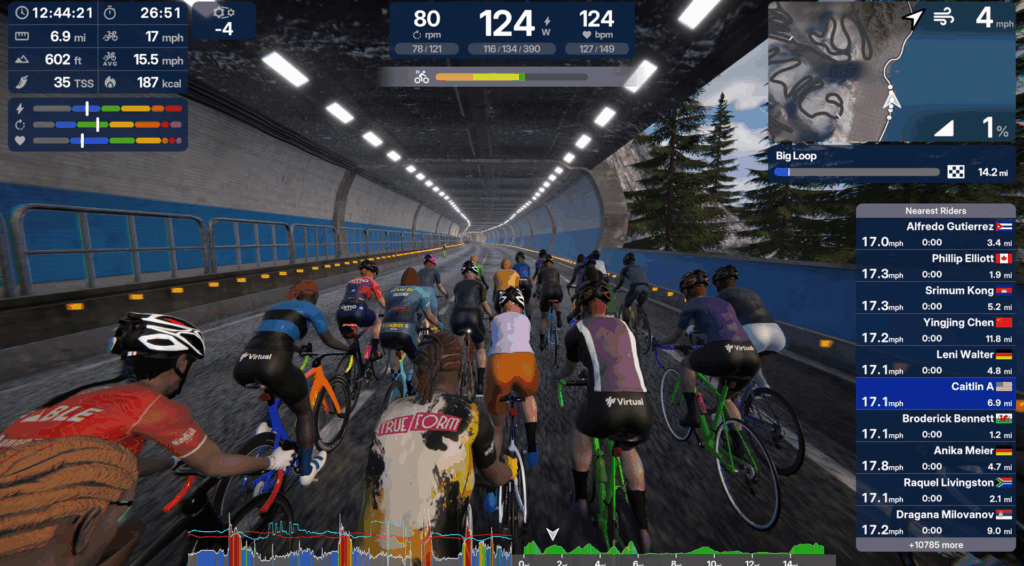
It comes as no secret that I have been an avowed indoor cycling evangelist for a long-time. For the better part of the last eight or so years, I’ve worshipped at the altar of Zwift. The 800 pound gorilla of the indoor training platform world has evolved greatly from those first loops around Jarvis Island, and has firmly solidified itself as the go-to gamification application for riding or running. Usually you can find me weekly in at least one Zwift race, routinely getting my rear ended handed to me because of my lackluster ability to make the break on a big climb, or the closing sprint dynamics.
But, well, Zwift isn’t exactly cheap. The cost of the subscription has doubled since I first joined the platform. It’s $19.99/month USD, or $199.99 on an annual pass. It’s more expensive than, say, my Spotify subscription is. Our house pays for two separate subscriptions for my wife and I to be able to ride, so we’re in for $400 a year.
And though Zwift as a platform is great, it’s one-dimensional. It’s not really an analysis tool. It has a library of workouts and progressions, but there’s no guidance. And it’s not like you hire a coach and have them build a schedule out in Zwift, either. My process of riding on Zwift is pretty straightforward; I’ll decide what type of riding I want to do that day, then if I choose a race, find one on the Companion app to register for, and otherwise gear up. But if I want to review the data from that ride, it’s done in a combination of free Strava or my TrainingPeaks Premium account — an account that costs real human monies, too.
As we’ve previously written about, TrainingPeaks Premium includes access to their indoor training platform, TrainingPeaks Virtual. It’s great for athletes who have a coach and need to do their respective workout. You can upload any road in the world and train on it. It nails the basics. But there’s definitely room for improvement. It’s not as community-driven as you find on modern-day Zwift. The race schedule is more barren, and there’s far fewer real riders in them (though you do get to have bots hop in to fill the field out). And the graphics left a lot to be desired, as evidenced by rider feedback on our last article.
TrainingPeaks took that feedback seriously. As in, with the latest release of the platform, TrainingPeaks has taken over 450 unique pieces of feedback and implemented changes or tweaks.
Updated, Modern Graphics and New Roads
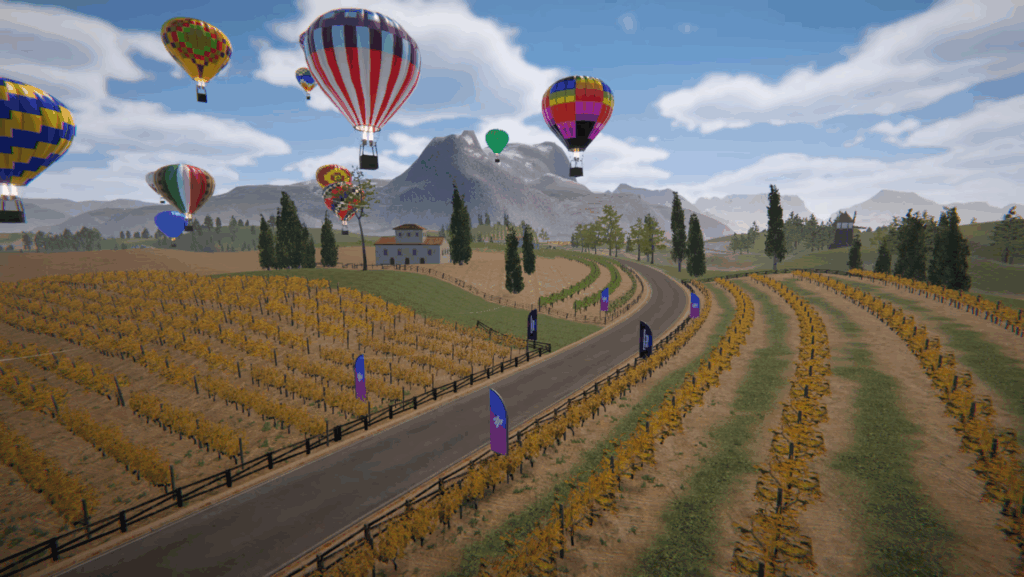
The overall graphics package has gotten a massive overhaul. On my M1 chip powered MacBook Air, the visual rendering is like moving from a Super Nintendo to a modern gaming system. Surfaces have better texture to them. Riders actually look a bit more realistic, and without the weird highlighting that Zwift insists upon surrounding your avatar. In my opinion, the graphics are no longer a reason to avoid riding on TP Virtual.
Another upgrade in the graphics package is around the heads-up display. It is fully customizable. Want to go without any of the fields? Go for it. Want to have specific datapoints to look at? You can do that, too. The instructions for turning certain data points on or off are relatively straightforward, too. Best of all, you can access this customization either before or during a ride, so if you want to look at changes, you’re not locked into that experience, either.
Lastly, it wouldn’t be an indoor cycling platform without new roads to wind up covering. The latest update of TP Virtual includes multiple new routes for you to cover. Two of them are real world based. For the auto racing fans out there, you can now ride the Nürburgring Nordschleife and get to experience the infamous Karussell on a bike. Also added to the system is the Camino de la Muerte from Bolivia. On the virtual side, TrainingPeaks has expanded out the Forest Stadium that surrounds the Velodrome. It also has new roads in the rolling Velocity Vineyards area.
Improvements to Bot Riders
One of the biggest drawbacks to TrainingPeaks Virtual is that there simply aren’t the same number of riders on it as there are on Zwift. For group rides or events, that could have had the impact of making things very sparsely attended and lonely. (Zwift once suffered from this too, which is why the calendar is far more streamlined than it used to be.)
TrainingPeaks solves for this problem with a lot of bots. As in, in the sample of races and events that I participated in, I would say at least three quarters of the riders weren’t “real.” But, unlike some of their counterparts on other platforms, the TP Virtual bots ride far more similarly to real riders. They surge within a band of power when riding uphill, for instance. Or they will actually brake for corners on descents. Or they’ll put in realistic attacks that could work, or could fail.
It makes for a more realistic group riding experience than, say, the pace bots on Zwift, which generally sit specifically within the published range, no matter the terrain.
The Full Update List
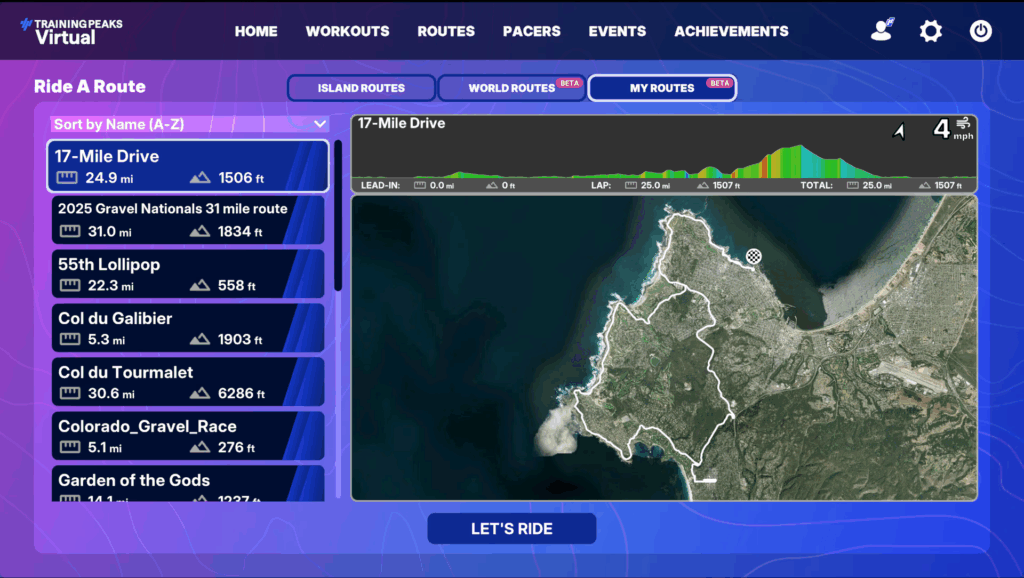
Here is the running tally of what was updated on the current version of TP Virtual.
- Added ability to easily select custom GPX routes for free riding / workouts.
- Added full compatibility with Open Bike Control enabling use of 3rd party hardware.
- Added support for custom workouts using the FIT file format.
- Added new World Route: Nürburgring Nordschleife, Germany
- Added new World Route: Camino de la Muerte, Bolivia
- Added new in-world HUD for a cleaner more modern display.
- Added new cycling avatars.
- Added new cycling animations.
- Added new knee lean when cornering.
- Added new environmental lighting.
- Added new environmental sounds.
- Added new Velocity Vineyards area.
- Added new Forest Stadium around the velodrome.
- Added new bridges connecting the main island to ice mountain.
- Added new water / sky / clouds / sun / moon / stars / aurora graphics.
- Added new fog effects in low-lying valleys.
- Added new lights to the lighthouses.
- Added new dust effects when riding on gravel and cobbles.
- Added new custom UI metric: average speed.
- Added cross-server chat when free-riding on main islands and World Routes.
- Added option to always show the workout graph during workouts.
- Added option to always hide the route profile graph during workouts.
- Added option to have cross-event chat when creating custom events.
- Added option to reset graphics settings back to defaults.
- Added lots more custom team kits, event banners and event jerseys.
- Improved connectivity to Direct Connect devices on IPv6 networks.
- Improved range of first person configurable custom camera positions.
- Improved angles for third person and following camera positions.
- Improved world loading sky camera to focus on the destination island.
- Improved auto-join timing for events using GPXplore routes.
- Improved default settings for graphics options based on device hardware.
- Improved default access code to be consistent when creating custom events.
- Improved compatibility with AI generated custom workout files.
- Improved handling of errors in custom workout files.
- Improved physics when running in offline mode.
- Improved bot AI in group rides to spread out more at low rubberband strengths.
- Improved bot AI when making gear selections.
- Improved bot AI when corner braking.
- Improved bot AI in Team Time Trials.
- Improved resilience of creating FIT files.
- Improved compatibility of FIT files with 3rd party software.
- Improved sort order of routes and achievements.
- Improved performance of long lists in menus.
- Improved resolution of route profile graphs.
- Improved readability of laser display boards.
- Improved readability of chat messages against colored backgrounds.
- Improved contrast between text and background images at night time.
- Improved default selection when triggering the action button bar.
- Improved UI icons throughout.
- Improved sock length.
- Improved custom gloves graphics.
- Improved contrast of roads on mini-map.
- Improved look of default arch / barrier / flag branding.
- Improved speed of loading at start of day.
- Improved memory usage and frame rate on low spec devices.
- Fixed bug with achievements not triggering when free-riding some World Routes.
- Fixed bug with quickly swapping between GPXplore maps when selecting a route.
- Fixed bug with gaps sometimes appearing in GPXplore terrains.
- Fixed bug with distance ahead/behind custom metrics when in GPXplore routes.
- Fixed bug with spectators not being able to see names of riders joining events.
- Fixed bug with some bike frames not being visible from long distances.
- Fixed bug with rounding of cadence values in workouts.
- Fixed bug with overwriting custom road surface types when editing custom events.
- Fixed bug with visibility of category headers in custom metric selectors.
- Fixed bug with displaying of deliberately blank custom metrics fields.
- Fixed bug with disabling nested list items.
- Fixed bug with clipping edges of some UI icons.
- Fixed bug with position of scrollbar and items in very long lists.
- Fixed bug with auto-scrolling of lists sometimes getting stuck in a loop.
- Fixed bug with options shown on in-world menu.
- Fixed bug with position of lap markers during multi-lap events with no lead in.
- Fixed bug with U-Turn action button being visible on one-way roads.
OK, But How Does It All Add Up?
Gosh, TP Virtual is awfully compelling at this point.
I sampled a variety of rides and workouts following the latest update. Let’s lead off with the primary negative that remains with TP Virtual — it’s not as easy and intuitive as it should be to find an event you want to ride, or what workout to do. This is where Zwift with the Companion App has done such a great job; it’s far easier to piece together what you want to do and when, and have a better description of the route you’re going to be on.
But once you’re actually in the virtual world? Zwift should start sweating.
TP Virtual nails the feel of riding out in the real world more than Zwift does. I don’t know where it is in the engineering of controlling the trainer, but accelerations, gear changes, and sprinting all have a more realistic, near road-feel underneath you than they do on Zwift. The physics engine within TP Virtual also has you braking on corners where it should, requiring you to accelerate back out of the corner, and you get the additional resistance factored in when wind comes up during an event. Zwift at times feels more like a button mashing strategy within a video game; it’s why the terms “sticky watts” and “microbursting” are part of the Zwift lexicon.
I also was shocked at the quality of the bot riders in game. They served the role of pack fodder in a hilly race that I opted to participate in. One of the bots decided to try to attack off the front on one of the climbs, creating a breakaway. I joined it, and we essentially had a series of attacks that we participated in back and forth. Although I wound up losing out in that battle, it was my favorite longer indoor race (over an hour) that I’ve done in a long time.
There are still a few more features I’d like to see. I’d prefer more advance categorization of riders within a given event. I’d like to see it a little easier to schedule things out. But those issues are minor. And the quality of the in-game experience is forcing me to consider whether it’s worth continuing to pay for my long-running Zwift subscription.
The next free trial day for TP Virtual is coming on Tuesday, July 7th.
Tags:
Indoor TrainingTrainingPeaksTrainingPeaks VirtualRelated Articles:
Continue the discussion at forum.slowtwitch.com
11 more replies



I only ride on TPv now and really like it. My two small complaints are: 1. Having to hit 5 or 6 buttons every time i end a ride confirming I really want to end the ride and exit, and 2. It doesn’t upload to garmin connect. I use garmin connect to do quick comparisons YOY since 2015, but my bike volume numbers will not include all the indoor rides anymore. I really like that it’s included in the Premium membership though so when I bought the annual special, it’s all included.
TPV lets you change the resistance at junctions. This is enough of a reason to switch. Can’t start or stop intervals on time on zwift as +/- is disabled for 20 seconds every few minutes. No ability to adjust base resistance in free ride either. All solved in TPV.
Is TrainingPeaks a Slowtwitch partner?
While I like the new looks of the app, unfortunately the virtual world becomes all black after the update when I try to change the window size (which I do a lot; I usually don’t run it full screen). Mac PRO with an M2 processor.
Ah it’s your laptop compatibility, what you want is an M35-39, not M PRO.
Training peaks virtual has interval power and cadence. Zwift never had that without some weird gymnastics, so I would run a bike computer at the same time. Once I figured that out, training peaks virtual was it.
don’t care about the worlds, the other people, eggs, awards or any of that.
I’ve a rouvy account but it was because I wanted classic rides
Do zwift bike controls work on TP
Does it have classic rides / climbs?
Partner: Yes. We’ve had that in the footer of the site, emails, banners, etc. for a bit. That being said, I’d have still written this as a follow-up to the TP v Zwift article I’d done earlier in the year, as it’s now addressed nearly every one of my pieces of feedback (or those that had come up in the comments in that thread).
If TPV introduced self-selecting category racing, plus got a critical mass of people on the platform…it will give Zwift fits. And I love Zwift!
Why you’re changing the window size I’ll never know (I put my Mac in Game Mode when running TPV, or Zwift, and otherwise will just be looking at my phone if I need something).
List of routes is here (click on the World Routes toggle to see what climbs are in there): TrainingPeaks Virtual Hub
You could just upload the GPX file yourself to ride any route in the world.
I will be honest that I am not sure what I am looking at while I am using these cycling platforms. I will be on there for 3 hours at some point today. I think I just go into some sort of fifth dimension of BPM music from spotify. This is all possible if you are a patent lawyer for a living.
This is the nicest thing anyone has said to me this year as I entered M45


It’s probably blasphemous, but for periods of the ride I want to watch something in another window and just keep note of the power and interval progress. So the web browser window will be “in front of” TPV, obstructing most of it except the box displaying power, interval time, etc.
And yet I’m a fan of TP Virtual. Go figure
I have tried, since the CompuTrainer stare at lines on a screen days, to watch or listen to something while riding.
I feel like it makes the ride a lot longer (oh, this song is on, it’s X:XX long, I still have that long to go in the interval? F*&#!)
So…watching graphics and judging scenery it is.
I use Garmin connect for analysis and the fact that TPv doesn’t export there was a factor in my returning to zwift after using it all last year. Zwift just works, but with TPv I always had to double record to make sure my Garmin account got my rides.
I am, admittedly, attached to TP. In part to just using so many devices from different brands, and it’s pretty much agnostic in that regard. Like, it gives me great analysis on my Zwift rides, too!
But it’s also habit. I’ve been on TP since 2011. I don’t see myself after leaving.
watching something other then “My ride” is how I do 80% of my workouts online.